
The Greene County Court Calendar
Two courts of record operate here. Circuit Court and Superior Court each control settings in their assigned causes. MyCase gives the most useful public chronology for a case. It includes future hearing information once it is entered. Indiana Trial Court Calendars, by contrast, lists schedules only for participating courts. No Greene court participates. A blank result there means nothing. It should never be read as proof that no hearing exists.
What controls is the court's signed order and the current Chronological Case Summary, the CCS. A notice, citation, or older event can supply a starting date. But later orders can change it. Greene County publishes no verified daily courtroom-by-courtroom PDF calendar and no standing coordinator directory. That is why the local fallback chain matters as much as the online docket search.
Greene Missing from CourtCal
The Indiana Trial Court Calendars interface offers county, court, date, case-number, and case-name controls.
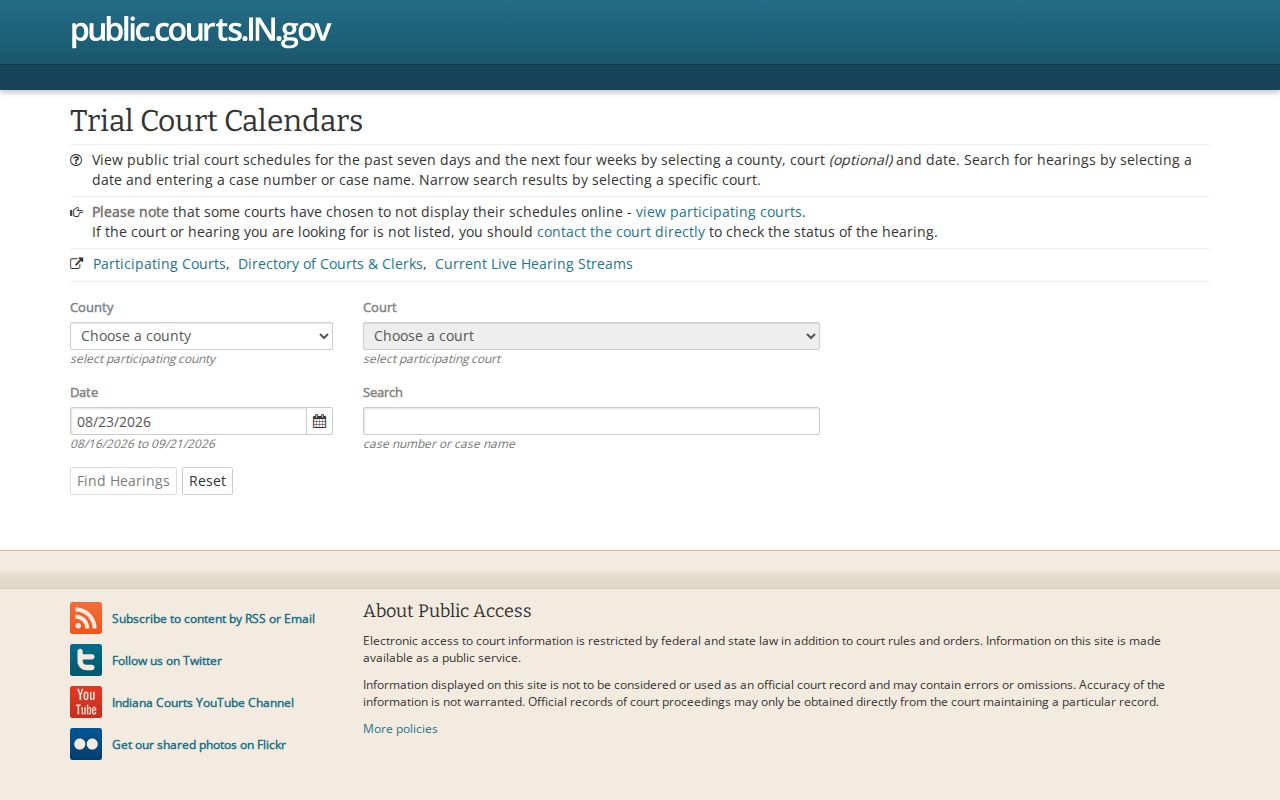
The interface covers schedules from the prior seven days through the next four weeks. Session date, start and end time, time zone, cause link, case style, court, hearing description, and judicial officer can all appear. But Greene has no court in the participation list. Treat that as a coverage gap, not a no-hearing result.
Myth: No CourtCal result means a Greene County setting was canceled.
Fact: Greene is not currently listed as a participating court. Check the CCS and call the assigned court.
How to Find Your Court Date
Start with the cause number on a citation, notice, order, or prior CCS entry. Search that number in MyCase. Then identify the court: Greene Circuit, code 28C01, or Greene Superior, code 28D01. Read the event list for the newest future setting, and watch for a later continued, reset, or vacated entry. Never stop at the first date that appears.
- Read the latest paper notice or signed order for the cause, court, date, time, and location.
- Open MyCase, search the cause number, and inspect the latest setting events.
- Use CourtCal only as a secondary check if Greene later appears as a participating court.
- Call Circuit at 812-384-4325 or Superior at 812-384-3492 for case-specific confirmation.
- Call the clerk at 812-384-8532 or visit the counter when the court is uncertain.
- For a ticket, use its printed appearance date and confirm with Superior or the clerk.
- Check county closure or holiday notices before traveling.
A courthouse posting may provide a daily docket where one exists. Ask at the counter instead of assuming. Counsel can also confirm a client's setting from the filed order and the case record.
Greene Court Calendar Sources
Each channel answers a different part of the date question. The signed order is authoritative. MyCase shows the CCS chronology and may expose a future setting. CourtCal is a convenience view with a short date window and participating-court limits. The clerk can help route the cause and confirm what was filed. Each court office, meanwhile, manages its own calendar.
| Channel | Best use | Limit |
|---|---|---|
| Signed order or notice | Exact ordered setting | May be replaced by a later order |
| MyCase CCS | Case-specific event history | Not every filing is remotely visible |
| CourtCal | Participating-court schedule slice | No current Greene participation found |
| Clerk or court phone | Routing and current confirmation | Staff cannot change a judge's order |
| Courthouse counter | File and local calendar inquiry | Confirm access and office hours |
Using two sources is sensible when a setting is near. It matters most after a motion to continue, or when an old citation conflicts with a newer CCS event.
Reading a Greene Court Setting
Read a setting line as a set of fields. The date alone is not enough. Confirm the court, time, hearing description, judicial officer, and location if shown. A session time can mark a docket block. It may not be a custom time for one cause. Follow the current court order, not an assumption borrowed from another case.
| Date | The scheduled day, subject to a later reset, continuance, or vacatur. |
|---|---|
| Time | The session or individual start time shown by the controlling source. |
| Courtroom | The room or location when entered; verify if missing. |
| Judge | The judge or magistrate assigned to the setting where displayed. |
| Setting Type | Initial appearance, bond review, status, motion hearing, trial, plea, sentence, or review. |
The newest entry matters most. A prior setting stays in the history even after it moves. If a row says only "continued" or uses an unclear short code, locate the next setting or ask the court.
Greene Recurring Schedule Blocks
Greene's published bond schedule contains recurring blocks, but it is not a live calendar for a named case. It lists Superior criminal bond handling across the week, including Friday morning misdemeanor and felony blocks for some arrest days and a Monday afternoon block for others. Superior small-claims and civil time, child-support blocks, Circuit criminal warrant time, and Circuit civil or child-support blocks also appear in it.
These blocks explain why several causes can share a session time. They do not replace a signed order or CCS event. Check any schedule document with the clerk or court before relying on a listed block, since it can age.
Resets, Continuances, and Cancellations
A continuance moves a setting. A reset places it on another date. A vacated setting has been set aside. The old row usually stays in the CCS, because the CCS is a chronology, not a clean list of future events. Search forward for the replacement and compare the newest signed order.
Greene Local Rule LR28-TR53.5 requires a written, signed motion to continue unless the request is made at a hearing. Agreement between parties does not guarantee the judge will approve it. For a scheduling conflict, the motion should identify the court, case name and number, hearing or trial date and type, conference and objection information, and possible alternate dates. Until the court acts, the existing setting stands.
The county posts no standing remote-hearing link. Do not infer that a hearing is online. Follow the case-specific order and confirm the location with the court.
Greene Setting Terms
A setting label explains why a cause appears on the calendar. It says nothing about what happened, so read the later docket entry for the outcome and for whether another court date was set.
Initial appearance or arraignment: a first criminal appearance for rights, charge, plea, or release matters.
Bond hearing or review: a setting concerning release or bond terms.
Pretrial or status conference: case management before plea or trial.
Motion hearing: argument or evidence on a filed request.
Trial: a jury or bench trial setting that can still be continued.
Review hearing: post-disposition or probation work under the existing cause.
Civil and child-support settings in local schedule material may carry DR, RS, JP, or other case types. Labels can shift from one list to the next. When you ask staff about a setting, go by the live CCS label and the full cause number.
What To Do If You Miss a Setting
Act quickly. Call your attorney, the assigned court, or the clerk, and give the full cause number. Ask what the current status is and what lawful step comes next. Search MyCase for a failure-to-appear event or a warrant-related event. Also look for bond action, a default, a dismissal, or a new date. The online display may not show everything. Staff can describe the record and routing, but they cannot erase an order or give legal advice.
Missed a Greene setting? A missed date can lead to a warrant, bond consequence, default, dismissal, or another order depending on the cause.
Call the correct court or the clerk promptly and consult licensed counsel about how to respond.
Do not guess a time and walk into a courtroom. Confirm whether a new order is required, and whether any warrant or default must be handled first. Prompt, case-specific action tied to the official record is the safe response.
Confirm the Greene Court
Greene Circuit Court and Greene Superior Court share an address at 1 East Main Street in Bloomfield. Their calendars, though, are distinct. So are their mail and phone routes. Circuit uses PO Box 231 and 812-384-4325, while Superior uses PO Box 445 and 812-384-3492. The unified clerk uses PO Box 229 and 812-384-8532. Published county hours are Monday through Friday, 8 a.m. to 4 p.m. Before you travel, check county closure notices and confirm the location named in the order. Courthouse security rules also govern entry and device use. A calendar lookup answers when and where a case is set. It cannot replace the order's instructions or advice from counsel.