
Searching Cases by Name
Begin with MyCase / Odyssey Public Access. It is the free statewide entry point for nonconfidential Greene Circuit Court and Greene Superior Court records. No account is needed. When the cause number is unknown, pick the Name tab. Enter at least a last name or business name there. From there you can add a first name, middle name, birth date, court, status, case type, or file dates to cut the list down. Use birth dates only when appropriate and lawful.
- Open MyCase and choose the Name tab.
- Enter the last name first, then add a first or middle name if known.
- Select Greene Circuit Court or Greene Superior Court and review the available case types.
- Narrow by open or closed status and filing dates only when the first search is broad.
- Open the result whose court, filing date, and case type match the known facts.
A common surname will drag in many people. Every match is only a possible record, never proof of identity, so check the full cause number, court, case style, and file date before trusting any result. MyCase also caps a search at 1,000 results. Broad surname searches may need a first name, a court, a case type, or a date range to stay under that ceiling.
| Field | Type | Required | Greene search use |
|---|---|---|---|
| Last name | Text, 40 characters | Yes for people | Add first or middle name to narrow matches |
| Business name | Text, 800 characters | Yes for entities | Use the exact name or an official wildcard method |
| Birth date | MM/DD/YYYY | No | Helps separate similar names |
| Court | Dropdown | No | Choose Greene Circuit or Greene Superior |
| Status and file date | Choice and date range | No | Narrows open, closed, and filing-period results |
Greene County Case Search Fields
Three tabs organize MyCase: Case, Name, and Attorney. The Case tab takes one identifier at a time. That can be a case number, citation number, or cross reference, with room for up to 30 characters per field. On the Attorney tab you can search by name or bar number. The number field holds 20 characters. A sounds-like option helps with name and attorney lookups but does nothing for cause-number searches. Court selection changes what appears. Once you choose a Greene court, the available case-type categories can shift. Recheck those boxes afterward. The MyCase search interface shows the live controls on the official site.
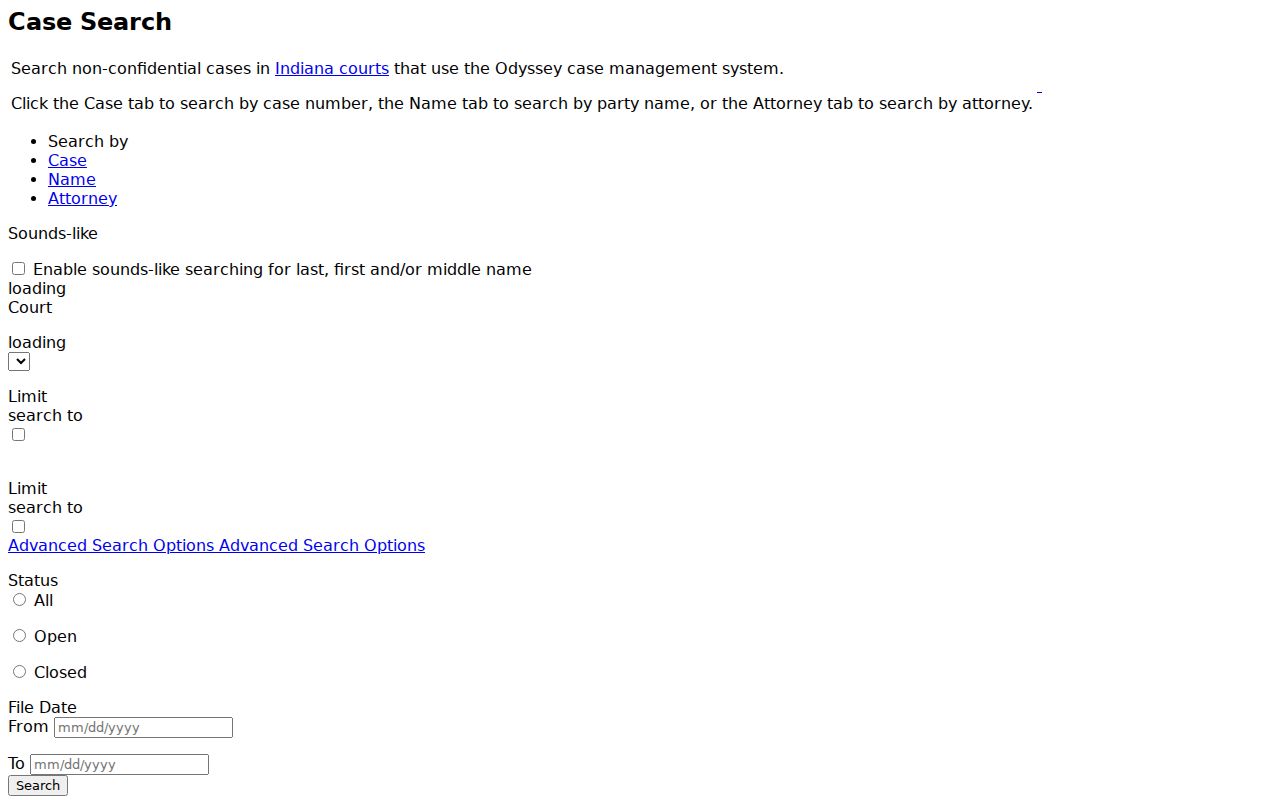
That official page makes the structure plain. Search with the strongest identifier you have, and remember that attorney and party searches run on separate paths.
Searching by Case Number
A complete cause number is the sharpest tool for a Greene County case search. Indiana Administrative Rule 8 sets the pattern at CCCCC-YYMM-TT-######. Greene County numbers open with code 28. Next comes a court letter, C for Circuit Court or D for Superior Court, with the court sequence after it. The middle groups carry the filing year and month plus the case type. A final block counts the filing sequence.
Expect some older opinions to run shorter, like 28D01-1908-CT-8. Start with the full number. If nothing matches, drop the punctuation and leading zeros, then try the other Greene court, since a transferred case can pick up a new court identifier. Fill in just one identifier box on the Case tab. Never mix a case number and a citation number in one search.
Greene County Search Limits
MyCase guards its records with a CAPTCHA to block automated data mining. That prompt is normal public access. It is not a fee or an account wall. Run a current browser and clear the prompt. Tighten the query if you hit the result ceiling. Phones work, though the form, date fields, and document links are far easier on a bigger screen. The official MyCase search tips page walks through wildcards, filters, and result limits.
Those tricks work best for business names and common surnames. A trailing wildcard helps when a full legal name is unclear. A tighter Greene court filter keeps results manageable.
What a Case Search Returns
Click a result row to open the public case summary and the Chronological Case Summary, or CCS. That CCS is Indiana's official event-by-event docket. Parties, counsel, filings, settings, orders, charges, bonds, financial entries, dispositions, cross references, and related cases can all appear, though coverage varies. An entry with no document link still proves the activity happened. Want the filing itself? Ask the Clerk.
| Cause number | Greene court code, filing month, case type, and sequence |
|---|---|
| Court and case type | Greene Circuit or Superior plus the selected category |
| Filed and status dates | When the case began and when its status changed |
| Parties and attorneys | Public roles, names, and counsel associations |
| CCS events | Filings, hearings, resets, orders, disposition, and links when available |
| Flags | Active, commercial, expunged, or other indicators where displayed |
Work through the docket from the oldest entry to the newest. Then zero in on the latest setting or order. A past hearing marked reset, continued, or vacated may no longer govern. Verify any uncertain future date with the proper court office. The statewide calendar lists no participating Greene court.
Greene County Search Without Accounts
You can run a public docket search in Greene County without signing up for anything. No account, no party access code. Those tools live on the separate Indiana Public Portal. That portal handles accounts, codes, and attorney workflows. A lawyer or an entitled party may view extra documents there. Logging in never unlocks sealed or confidential material in a Greene County court docket, though. The role you hold sets what you see; it is not a second database.
The official MyCase help page spells out what the public can reach. It also shows where the document limits fall.
One limit matters here. The online data is a convenience view, not the complete official file. The Greene County Clerk still handles certification, older material, and anything missing from the public image layer.
Statewide vs County Case Search
Greene County publishes no separate county search product. MyCase serves as both the statewide search and the main online lookup for county cases. The local channel is the Greene County Clerk of Courts. That office keeps the official file for both trial courts. Turn to MyCase for quick public discovery. Go to the Clerk for older records, certified copies, or a firm answer on custody.
| MyCase statewide layer | Greene County Clerk channel |
|---|---|
| Free nonconfidential Odyssey search | Official Circuit and Superior files |
| Name, cause, citation, and attorney searches | Counter, mail, phone, email inquiry, and copies |
| CCS events and some document images | Plain or certified copies and older-file research |
| No public account required | Copy and certification fees can apply |
Call the Clerk at 812-384-8532. Mail works too: PO Box 229, Bloomfield, IN 47424. At the counter, it pays to ask whether a public terminal exists. The court does not publish where it sits. If an older Greene County case will not turn up, ask the Clerk about the source volume. It may be bound, on microfilm, digitized, confidential, or sitting with another office.
No Greene County Search Match
When a Greene County docket search comes up empty, work through the basics. Check the spelling of each name and the punctuation. Recheck the court you picked, the date range, and the cause-number group. Still nothing? Try the other Greene trial court, or search by party instead. Indiana ePay sometimes surfaces a citation that the docket search keeps missing. Two more paths sit apart from the rest. Protection orders run through their own search. And older Greene County court records may simply predate the full Odyssey conversion.
An empty result does not prove that a case never existed. Ask the Greene County Clerk whether a public record is held offline or is restricted.
Which fallback fits depends on what you actually need. Want a CCS entry or a filed document? Contact the Greene County Clerk. Unsure whether a hearing is even set? Call the court office. For a transcript, go to the official court reporter. A formal county records request can help when you are chasing a broader batch of county-held records, but it cannot replace a precise case-file request once you know the cause number and the exact document you want.
Access and Restricted Cases
Access starts from a presumption of openness. Indiana Administrative Rule 9 opens court records to the public. It stays subject to Rule 5, to statutes, and to any valid court order. Plenty of material still gets hidden or redacted. Juvenile cases and adoptions fall outside public view. So do some guardianship and mental-health filings, protection-order content, expunged or sealed records, privileged filings, and listed personal identifiers.
Redaction can be surgical. One filing may sit excluded. The public case header can still stay on the docket for anyone to see.
Rule 9 also builds a written path back in for someone seeking an excluded record. The process is verified. It can run through notice, a response period, a hearing, and a written order. The Clerk can tell you which court maintains the record and which route applies. The Clerk cannot hand over protected content just because it is requested. And a gap in your search results proves nothing about the case itself. For copies that are public, the fuller Greene County court records process walks through plain and certified requests.
Greene County CCS Checks
A solid Greene County CCS docket search wraps up at the most recent entry, not at the first name that looks right. Stop there and confirm the court code, the case type, the file date, the current status, and the last event listed. If a hearing date drives your plans, weigh the event text against any signed order before you rely on it. The official court record wins over a stale notice or a tidy summary every time.
- CCS
- Chronological Case Summary, Indiana’s official term for the event history.
- Cause number
- The unique court, filing, type, and sequence identifier.
- Vacated
- A setting or order that has been canceled or set aside.
- Cross reference
- Another identifier linked to the same case record.
Checks like these keep a docket search from turning a similar name or an old date into the wrong case. When a code on the docket entry makes no sense, lean on the event text and ask the Clerk instead of guessing at what it means.